Bypassing Rx Confirmation Window
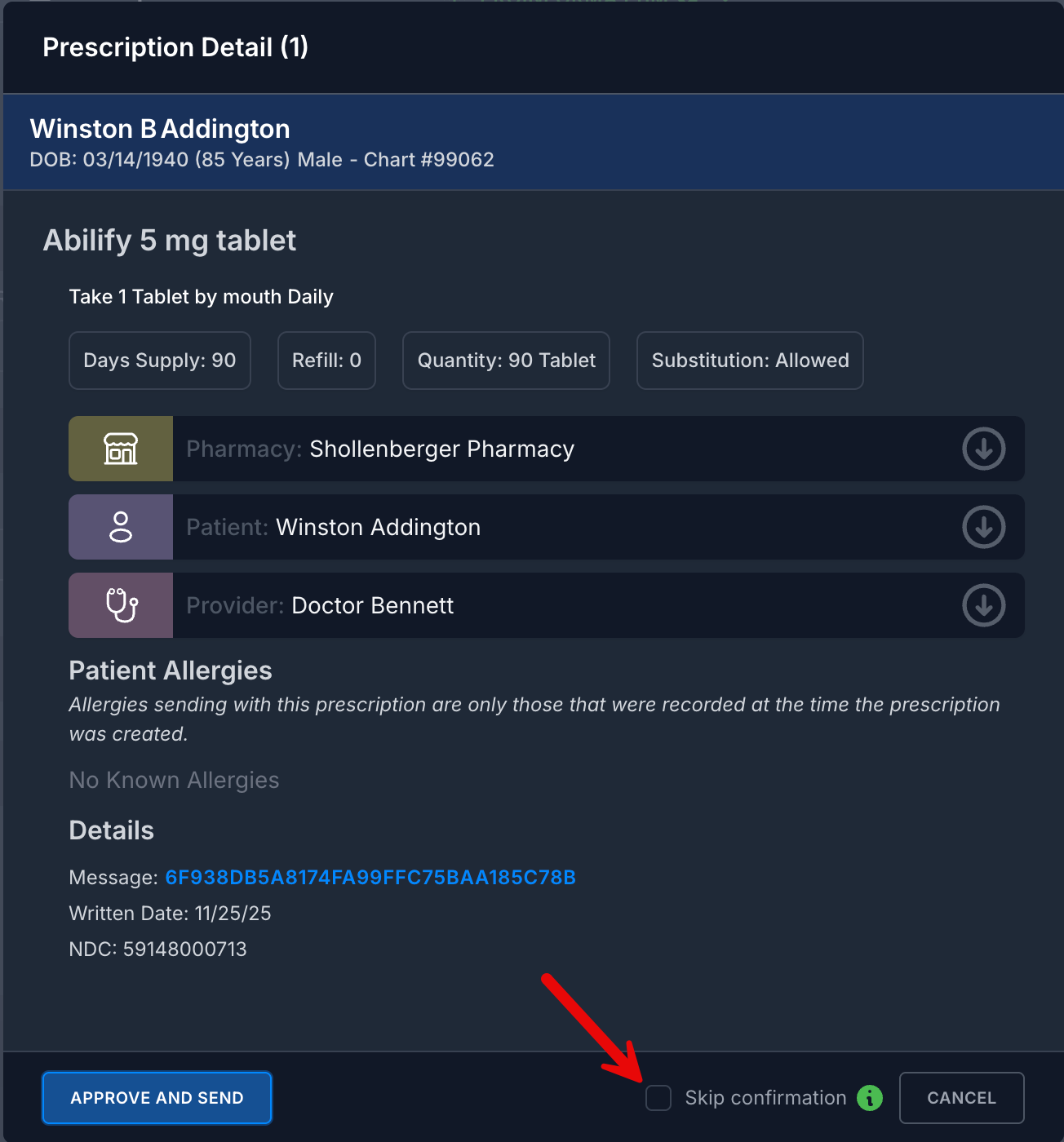
The ScriptSure prescription workflow includes a prescription confirmation window, or Prescription Detail, after clicking the Send To Pharmacy button on the Prescription Preview window. This is an added step to verify the prescription being sent that includes confirmation of the medication being prescribed, the selected patient, pharmacy, the provider, patient allergies, insurance, and other prescription details. This step can now be bypassed to avoid unwanted additional clicks.
The prescription confirmation window can be turned off by checking the "Skip Confirmation" checkbox at the bottom of the Prescription Preview window.
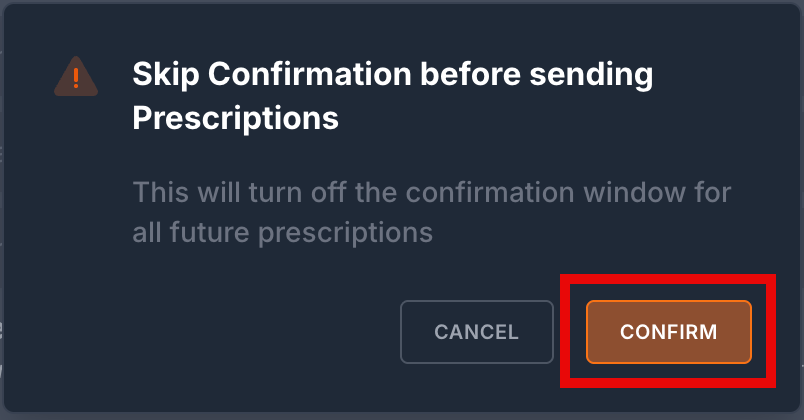
Click Confirm to save this change.
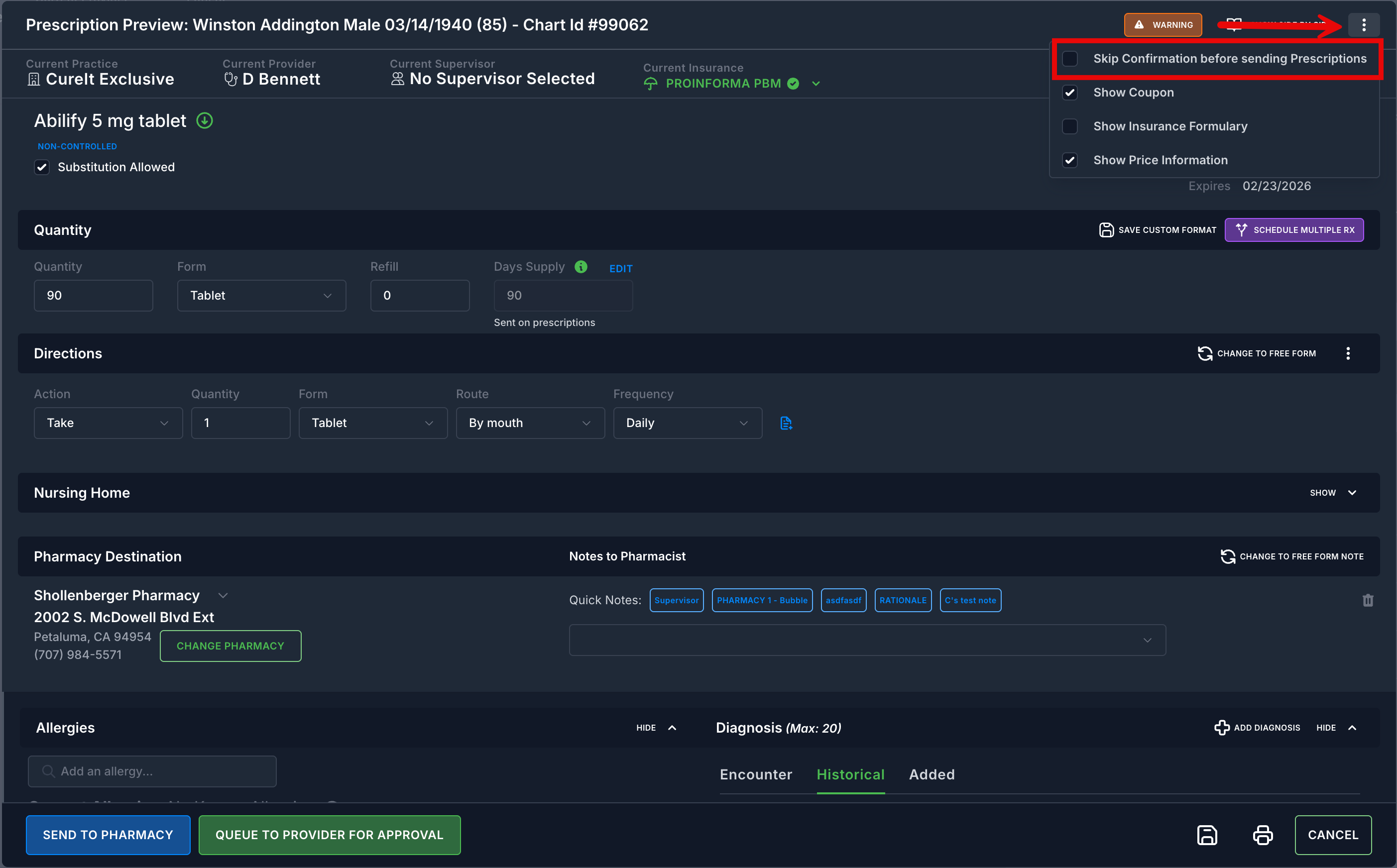
You can also disable the confirmation window from the Prescription Preview window by clicking on the 3 dots on the top right and checking "Skip confirmation before sending prescriptions".
Disabling the confirmation window will be remembered for all future prescriptions.
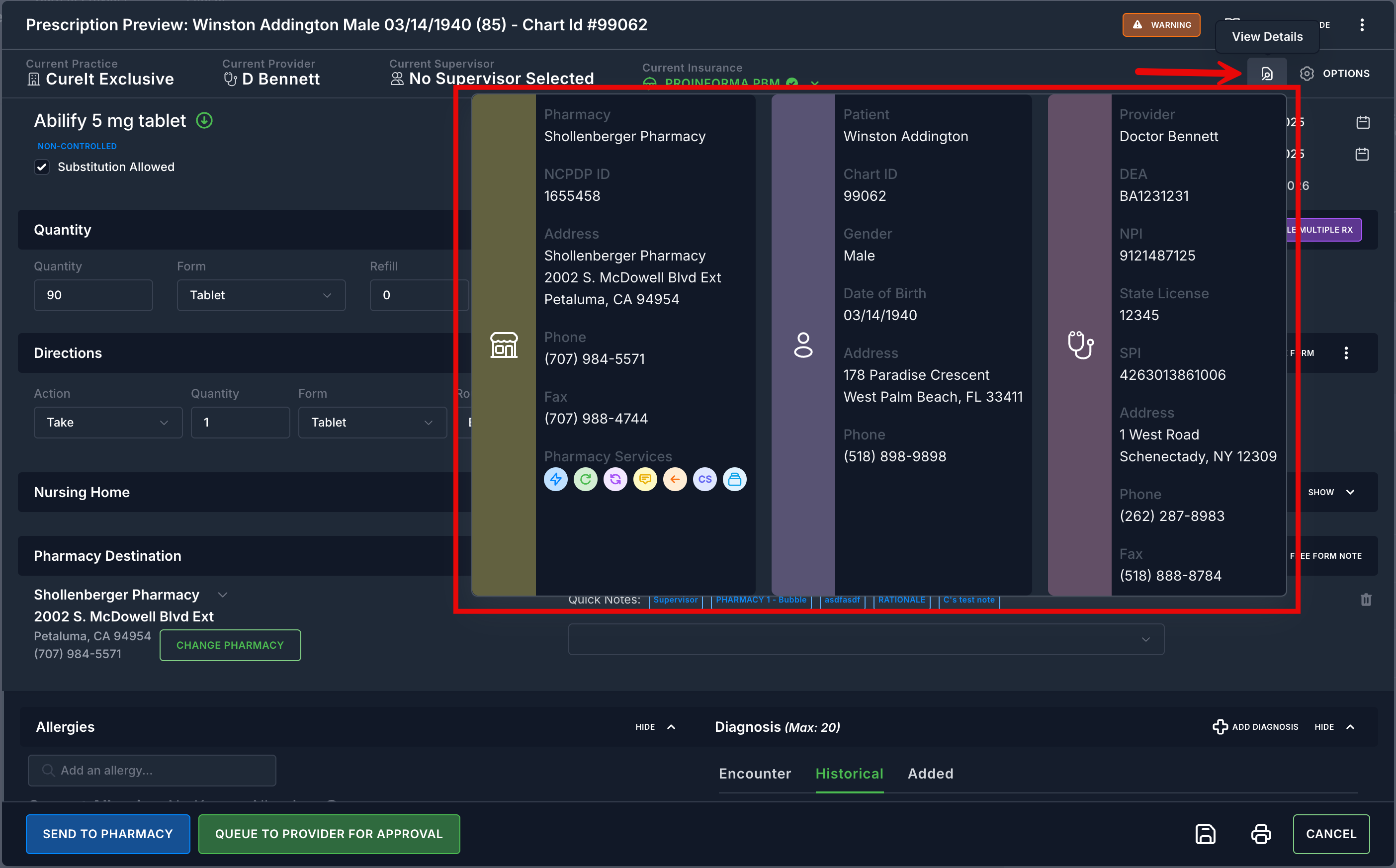
You can still view the Prescription Detail window by clicking the View Details icon that appears in the top right of the Prescription Preview window.
The below interactive video will demonstrate this process in greater detail. Click below to view.
Was this article helpful?
That’s Great!
Thank you for your feedback
Sorry! We couldn't be helpful
Thank you for your feedback
Feedback sent
We appreciate your effort and will try to fix the article