Understanding Prescription Status and Current Medication in ScriptSure eRx
This article explains how ScriptSure assigns and displays prescription statuses, and how the system determines whether a medication is considered current for a patient.
How Prescription Status Works
When a new prescription is created, ScriptSure automatically assigns it an Active status unless the user selects a different one during prescribing. This status appears in the status column on the patient history page and is part of the prescription’s historical record. Users may also manually change the status to Current Medication if they prefer. The distinction between Active and Current Medication in this context is based on user preference only, not system logic.
How ScriptSure Determines a Current Medication
ScriptSure includes special views that filter prescriptions based on whether they are considered current: Current, Last Current, and Expired.
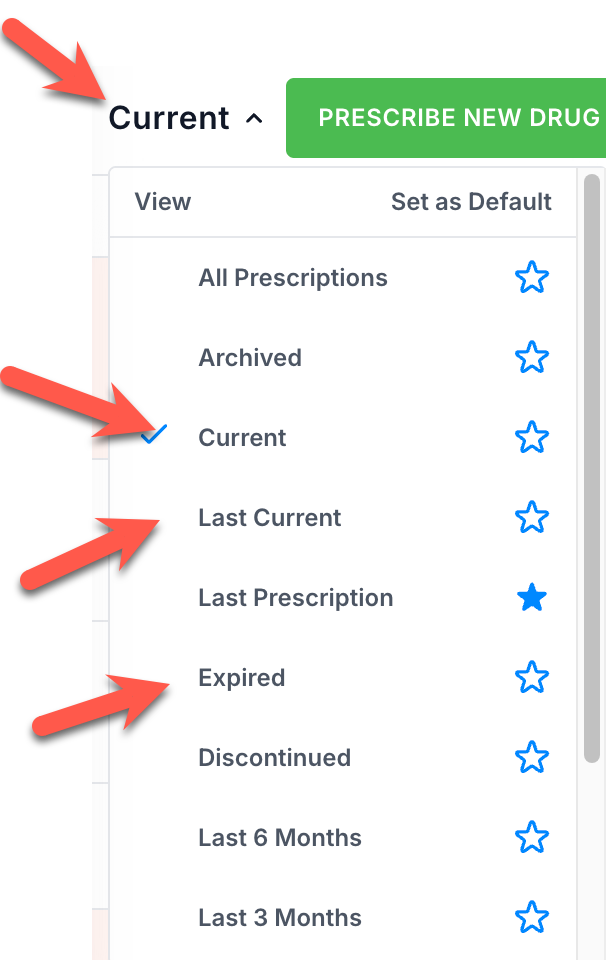
These views are driven by the prescription’s expiration date:
A prescription remains a current medication until its expiration date.
If a medication is marked as chronic, it is always considered current, regardless of dates.
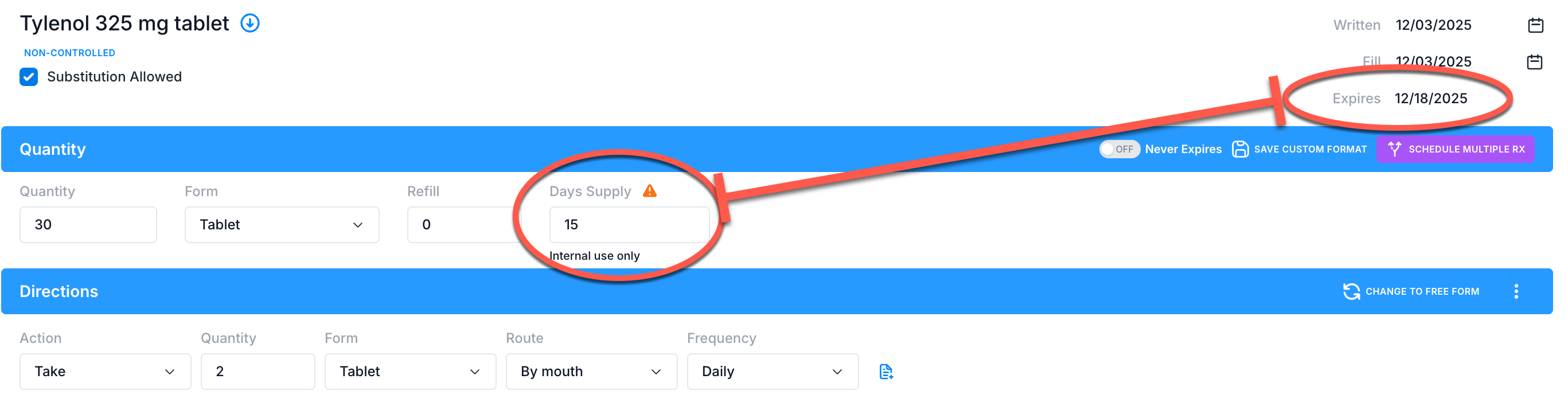
For standard prescriptions, ScriptSure automatically calculates the expiration date based on the prescribed quantity and directions.
Example: A prescription written on December 3 for 30 tablets with the direction “Take 2 tablets daily” will expire on December 18 (15 days later). Until that date, the medication appears in the Current and Last Current views.
Important Note on Status After Expiration
Even after the expiration date passes, the status column does not automatically change. It remains Active unless the user updates it manually or performs an action such as Cancel Prescription, which will update the status.
Standard Statuses in ScriptSure
ScriptSure includes a set of default statuses such as Active, Current Medication, Discontinued, Queued, and others. These help users quickly identify the state of a prescription and assist with medication reconciliation.
Current Medication is included in these options primarily to allow users to label prescriptions according to their workflow preferences.
Was this article helpful?
That’s Great!
Thank you for your feedback
Sorry! We couldn't be helpful
Thank you for your feedback
Feedback sent
We appreciate your effort and will try to fix the article